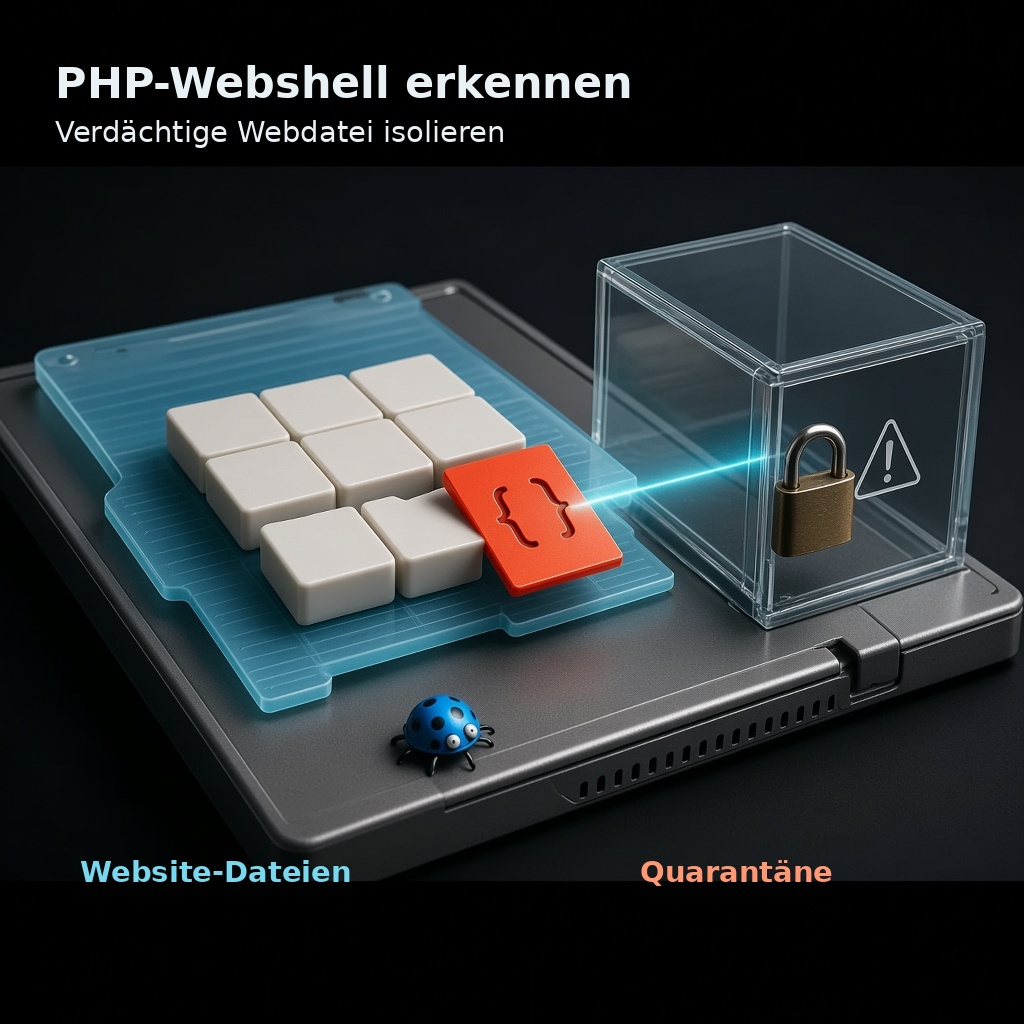
One Webshell is malicious code that is stored on a web server and enables attackers to gain remote control via HTTP(S) – for example, to access files, execute commands or carry out lateral movement. CISA, the NSA and the ASD describe webshells as a means of gaining persistent access to compromised systems; Microsoft emphasises that visibility into internet-facing servers and post-installation behaviour are crucial. This article explains key terms, typical entry vectors and defensive measures. It contains none Instructions on how to build or bypass security mechanisms.
What a webshell is – and what it isn’t
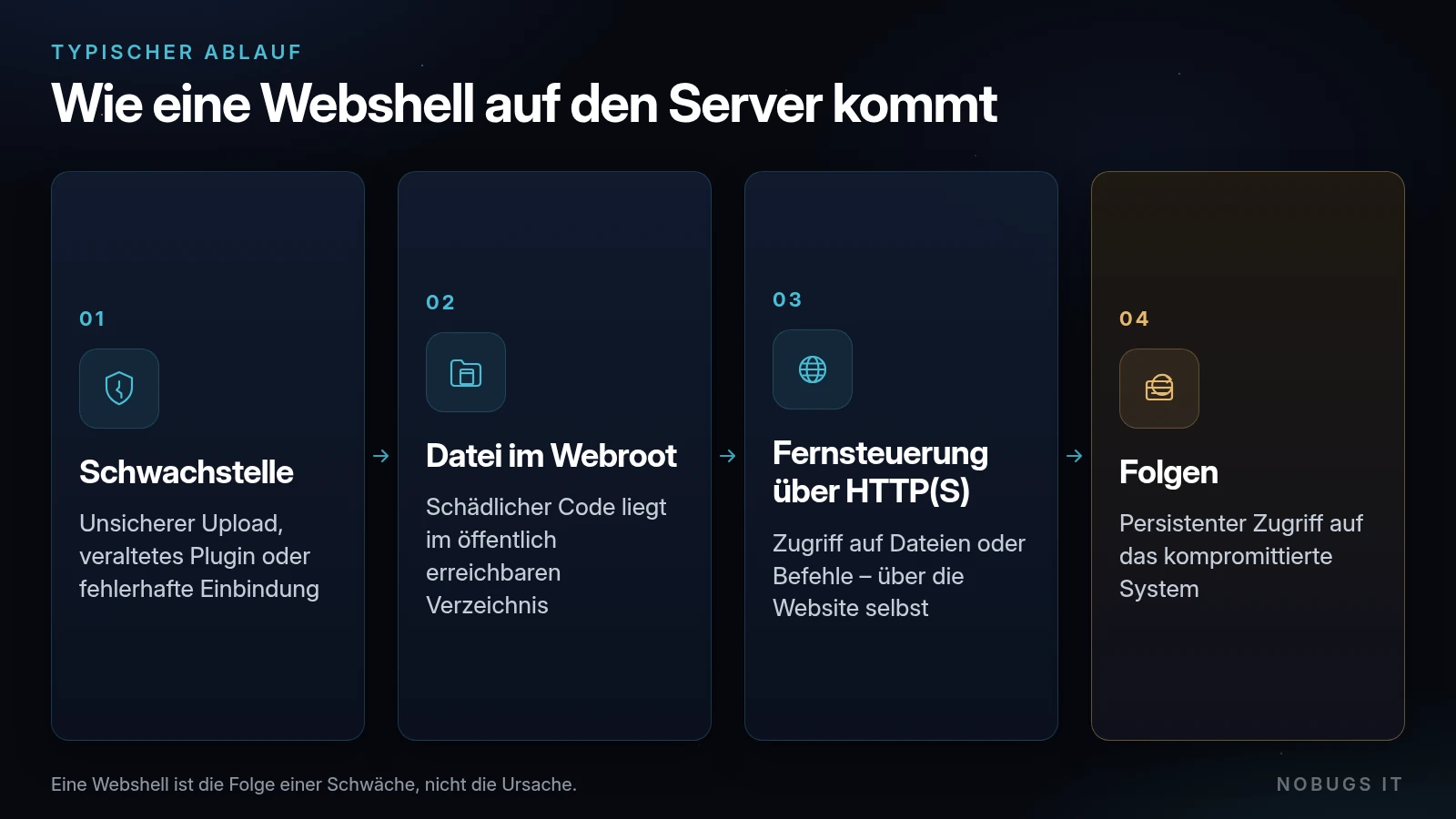
Technically speaking, a webshell is often a file that the web server executes in the same way as other scripts – in PHP environments, this means code that is processed by the interpreter. It does not have to be large or have a conspicuous name; encryption, encoding and obfuscation make it difficult to detect. The key point is this: the shell is the result of a vulnerability (file upload, embedding, outdated software, weak permissions), not the cause.
Webshells are not limited to PHP. The focus here is on PHP because many content management and e-commerce systems are built on it. The security principles – file integrity, minimum privileges, no script execution in upload directories – apply in a similar way to other stacks.
Typical attack vectors (excluding exploit details)
According to guidance from the authorities and OWASP, webshells are often delivered via:
- Insecure file uploads (incorrect type/extension check, storage in the web root)
- Vulnerabilities in web applications (Remote code execution, local/remote file inclusion, faulty admin interfaces)
- Outdated plugins, themes or frameworks, which still have known vulnerabilities
- Poor configuration: The web process is permitted to write to directories accessible via the web; PHP handlers run in upload folders
- Compromised accounts (FTP/SFTP, hosting control panel, stolen credentials), through which files are uploaded directly
OWASP summarises uploads as the classic first step: getting code onto the server, then forcing it to run. This is precisely why protective measures focus on upload logic, storage location and execution permissions.
Signs and symptoms
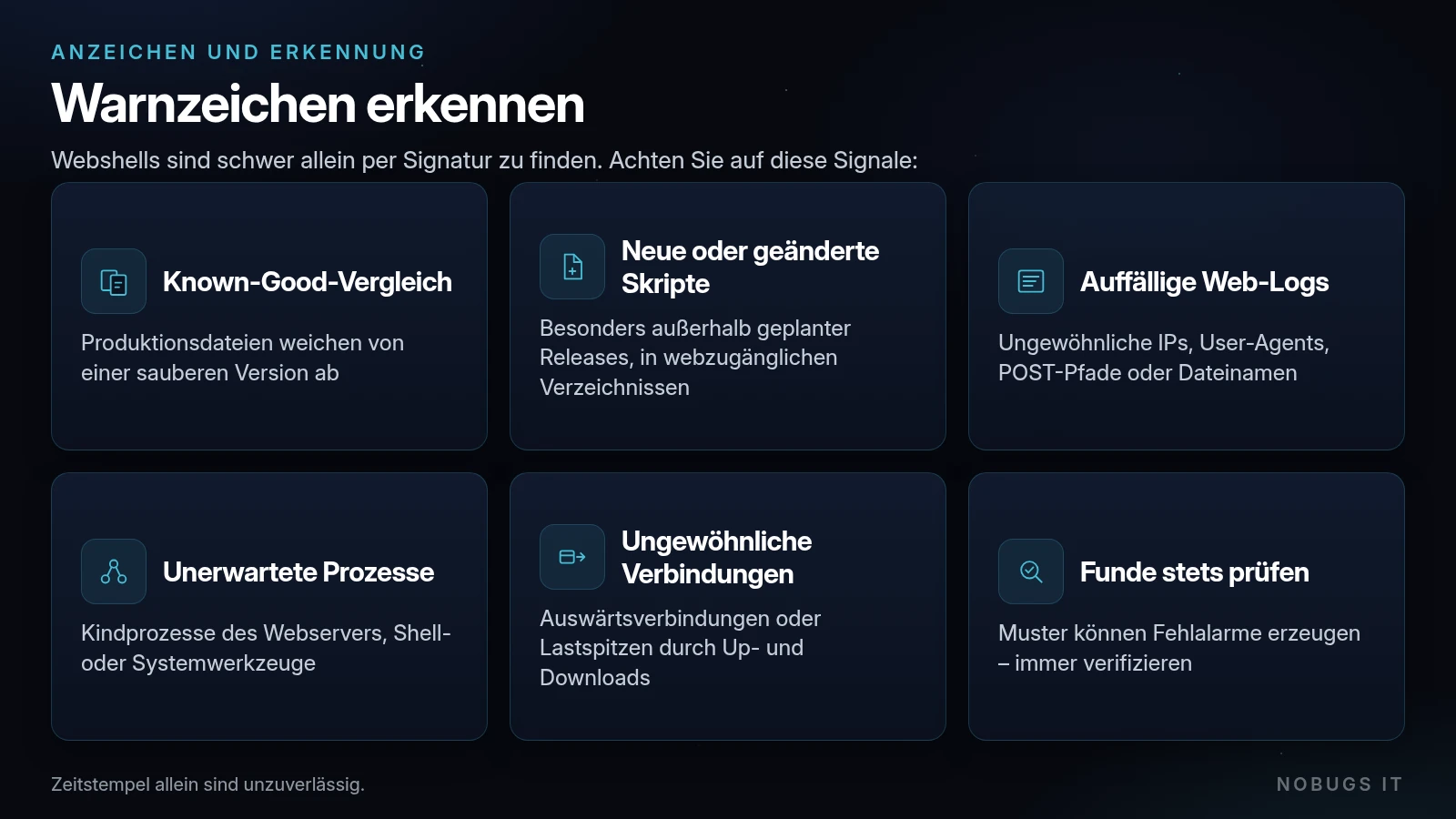
According to the NSA/ASD/CISA, webshells are difficult to detect solely on the basis of their signature. It makes sense to Defence in Depth-Detection:
- 'Known-Good' comparison: Compare production files against a verified, clean version of the application. Check for discrepancies manually. Timestamps alone are unreliable (risk of tampering).
- File integrity / Monitoring: Notify users of new or modified scripts in web-accessible directories – particularly outside of scheduled releases.
- Web and application logs: Unusual user agents, referrers, IP addresses, POST requests to unexpected paths, and access to suspicious filenames.
- Behavioural cues: Unexpected child processes of the web server (shell, network or system tools), unusual outbound connections, sudden spikes in load caused by uploads and downloads.
- Network and host artefacts: Recognisable patterns can be helpful, but they can also trigger false alarms – always verify any findings.
Microsoft also describes, for IIS environments, the correlation between script execution and process chains. Regardless of the stack, the following applies: static scans alone are often insufficient; behaviour and integrity must also be taken into account.
Multi-layered protection
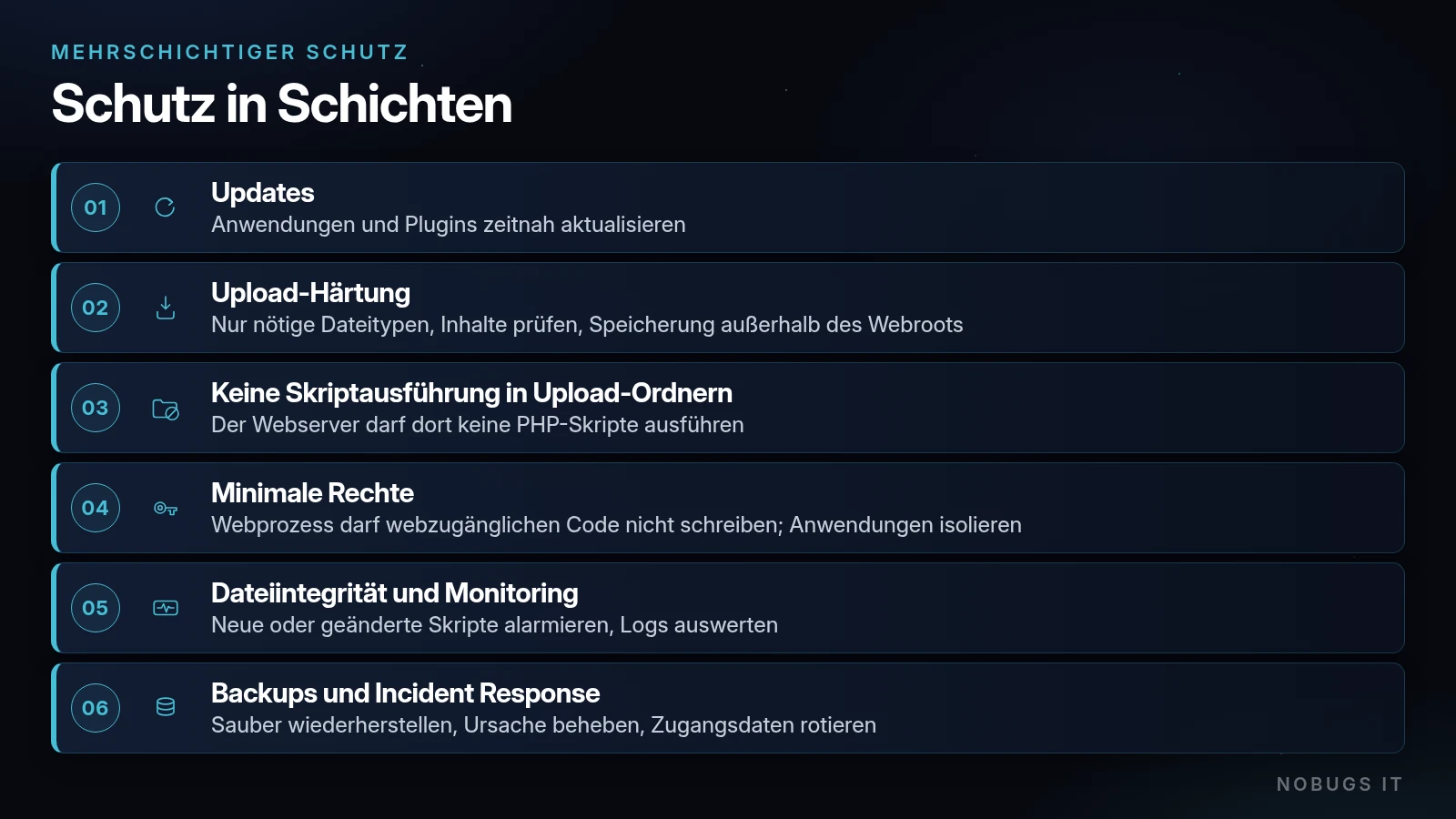
Patching and hygiene. Update web-based applications and plug-ins promptly. Use automatic updates where appropriate; otherwise, set fixed patch windows based on an inventory.
Securing file uploads (OWASP File Upload Cheat Sheet). Only allow file types required for business purposes; do not trust the Content-Type; check file contents and signatures; server-generated file names; size limits; authorised users only; storage outside the web root or on a separate host; public access via controlled handlers. Secure upload directories against configuration overrides (e.g. no per-directory handler changes).
Prevent PHP execution in upload directories. The web server must not execute any PHP scripts there. Uploads must not be placed in folders where the interpreter is active. Furthermore, the web process must not write code that is accessible via the web (least privilege, according to the NSA/ASD-CSI).
Minimal rights and isolation. Separate system users/PHP-FPM pools for each application, where possible. PHP directives such as open_basedir and the targeted deactivation of unused dangerous functions (disable_functions) are, according to the PHP Manual and the OWASP PHP configuration guidelines additional Networks – no substitute for OS isolation. The PHP documentation expressly warns that open_basedir is not a comprehensive security mechanism.
Network. DMZ/segmentation restricts lateral movement. WAFs and reverse proxies can restrict known paths, but they are no substitute for application security.
Known-good and backups. Clean images available offline and a tested recovery path – the basis for detection and recovery.
When it happens: Incident Response
Alignment with CISA/NSA recommendations:
- Insulate of the affected web server (restrict network access) in order to reduce lateral movement.
- Securing evidence: Disc/memory artefacts; OS, web, access, error, WAF, proxy, firewall and database logs.
- Remove the webshell – and, at the same time, the Cause find (upload issue, plugin, account).
- Restore as trusted (a proper backup), not „just deleting that one file and carrying on“.
- Rotating credentials: Web admin, database, hosting, FTP/SSH, associated API keys and session secrets.
- Hardening and patching, before the service is fully available again.
- Identify the relevant stakeholders and – where applicable – check reporting requirements.
Frequently Asked Questions
Is a virus scanner on the web server enough?
Useful as a layer, but insufficient on its own. Integrity checks, log analysis and the rights framework are key.
Can only „large“ websites be affected?
No. Small PHP sites with upload forms or outdated plugins are common targets precisely because they are poorly maintained.
Is a CMS update enough?
Updates are necessary, but not sufficient: the upload path, file permissions and execution restrictions in media folders must be correct.
NOBUGS IT GmbH supports businesses in the secure operation of web and server environments: hardening, monitoring, backup and recovery processes, as well as incident response – in a professional manner and without any fuss.
Sources
- https://www.cisa.gov/news-events/alerts/2020/04/22/nsa-asd-release-guidance-mitigating-web-shell-malware
- https://media.defense.gov/2020/Jun/09/2002313081/-1/-1/0/CSI-DETECT-AND-PREVENT-WEB-SHELL-MALWARE-20200422.PDF
- https://www.cisa.gov/eviction-strategies-tool/info-countermeasures/CM0106
- https://www.microsoft.com/en-us/security/blog/2020/02/04/ghost-in-the-shell-investigating-web-shell-attacks/
- https://www.microsoft.com/en-us/security/blog/2021/02/11/web-shell-attacks-continue-to-rise/
- https://cheatsheetseries.owasp.org/cheatsheets/File_Upload_Cheat_Sheet.html
- https://community.owasp.org/vulnerabilities/Unrestricted_File_Upload
- https://cheatsheetseries.owasp.org/cheatsheets/PHP_Configuration_Cheat_Sheet
- https://www.php.net/manual/en/ini.core.php
- https://www.php.net/manual/en/security.apache.php